What Photos Make the Best Custom Photo Tattoos?
Sharp, well-lit, high-contrast photos with one clear subject make the best photo tattoos. Here's what to look for, the resolution you need for each size, and photos to skip.
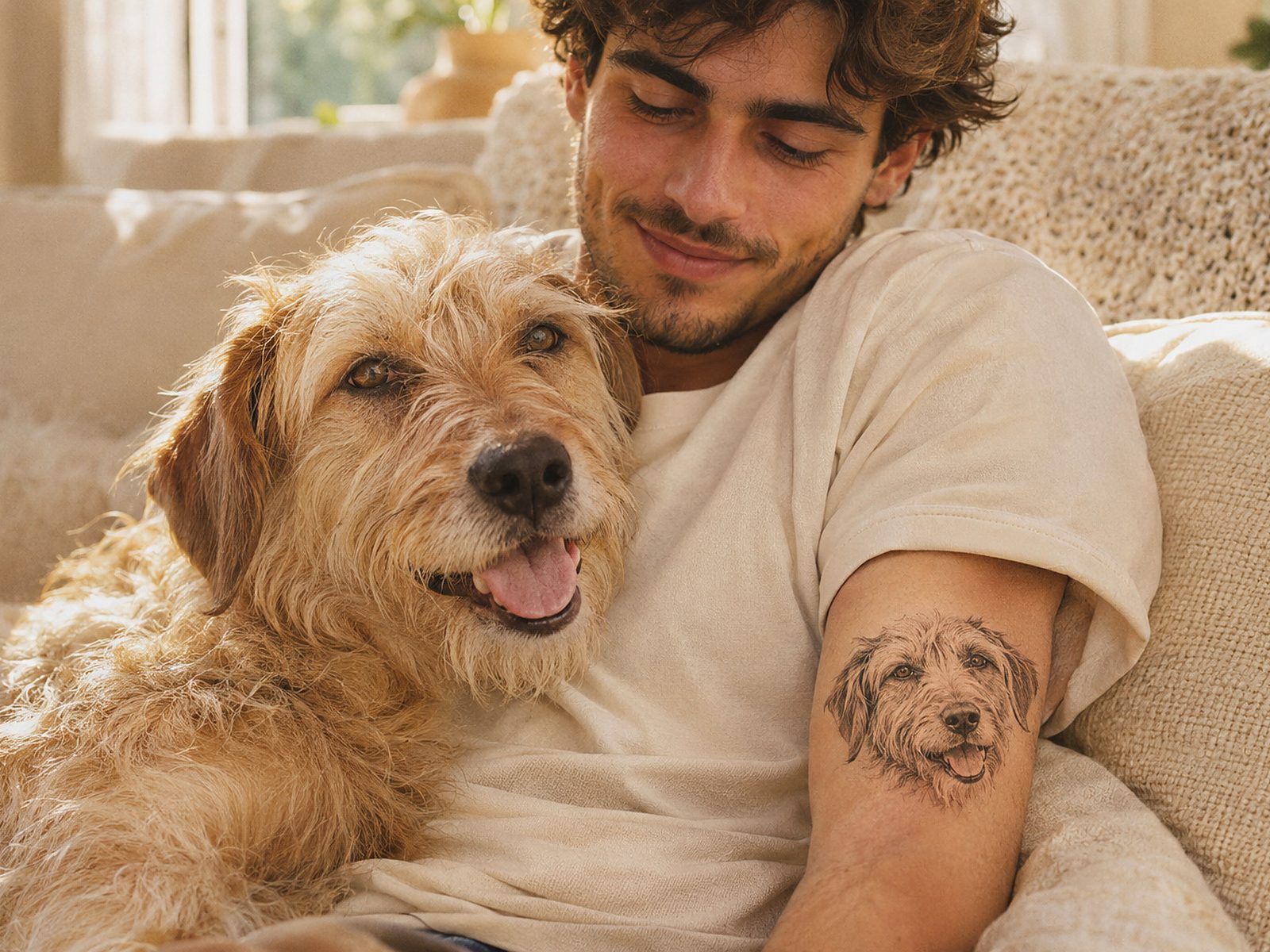
The best photos for custom temporary tattoos are sharp, well lit and high contrast, with one clear subject that fills most of the frame. Think a close-up of your dog's face in daylight, not a group photo at dusk. For a crisp print, your image should be at least 600 pixels on its longest side for a 2″ tattoo and 1800 pixels for a 6″ tattoo — most phone photos easily clear that.
What makes a photo work as a tattoo?
A tattoo is small, sits on skin instead of white paper, and is seen from arm's length. Photos that work well share a few traits:
- One clear subject. A single face, pet or object reads instantly. Busy scenes turn to mush at 2–3 inches.
- Sharp focus. Eyes in focus for people and pets. Any blur gets more obvious once printed.
- Good light. Soft daylight is ideal. Avoid dark, grainy indoor shots.
- Strong contrast. A dark subject against a light background (or the reverse) keeps edges crisp.
- A simple background. Plain walls, sky or grass are easy to remove. You can ask us to clean up the background for you.
How much resolution do I need?
We print at 300 dpi. Here's the image size we recommend for each tattoo size, measured on the longest side:
| Tattoo size | Inches | Recommended pixels | Works with |
|---|---|---|---|
| Small | 2″ | 600 px | Almost any phone photo |
| Medium | 3″ | 900 px | Almost any phone photo |
| Large | 4″ | 1200 px | Original phone photos, not screenshots |
| Statement | 6″ | 1800 px | Original, uncropped photos |
Accepted files: JPG, PNG and WEBP, up to 15 MB.
Use the original photo. Images saved from social media or messaging apps are often compressed. If you can, upload the photo straight from your camera roll. Heavy cropping also lowers resolution — a close-up crop of a group photo may be too small.
If your photo looks too low-resolution for the size you choose, we'll email you before printing so you can pick another photo or a smaller size.
What are the best pet photos for a tattoo?
Pet portrait tattoos are a favorite, and a few tricks make them shine:
- Get down to their level. Shoot at eye height, not from above.
- Focus on the face. A head-and-shoulders shot works better than the whole pet at a distance.
- Use daylight near a window. It shows fur detail without flash glare or red eyes.
- Watch the fur color. Black pets look best on a light background; white and cream pets on a darker one. Very dark fur loses detail in low light.
- Try the black-ink option for a sketch-like look, especially if the photo isn't perfectly lit.
Start a pet portrait tattoo and add their name underneath.
What are the best photos of people?
- Faces forward and well lit, with no harsh shadows across the eyes.
- Close crops. Head and shoulders for a single person.
- Permission first. Only upload photos of people who are happy to be on your arm, and ask a parent if the photo shows a child.
Face tattoos are a hit for birthdays, retirements and game days — see face and fan tattoos.
How do colors look on skin?
Temporary tattoos are printed on a clear film, so your skin shows through the design. That has a few effects:
- White doesn't print as white. Temporary tattoo printing doesn't use white ink, so white or very pale areas look clear, showing your skin tone.
- Pale pastels look softer on skin than on screen, and can almost disappear on deeper skin tones.
- Bold, saturated colors and black look the most vivid on every skin tone.
- Printed colors look slightly different from your screen, which glows. Expect a little less brightness.
Use the skin-tone preview in the designer to see how your photo looks on different skin tones before you order.
Which photos should I avoid?
| Avoid | Why | Try instead |
|---|---|---|
| Group shots | Faces become too small to recognize | Crop to one or two people, or order separate designs |
| Dark or night photos | Grain and muddy shadows | A daylight photo |
| Blurry or motion shots | Blur shows more on skin | A still, focused shot |
| Screenshots and social media saves | Compressed and low-res | The original from your camera roll |
| Very pale or washed-out images | Light areas print clear | Higher-contrast photos, or black ink |
| Logos or characters you don't own | Rights issues | Your own artwork |
We can't print photos you don't have permission to use, or content that's explicit or hateful. See our terms.
Should I add text to a photo tattoo?
A name or date under a portrait makes it feel finished — "Biscuit 2014–2026" under a dog, or a birthday under a face. Keep text short and big enough to read: at least about 6 pt on a Small tattoo, more for script fonts. The size guide explains text minimums.
What size should a photo tattoo be?
Photos need more room than text. Medium (3″) is the sweet spot for a face or pet on the forearm. Choose Large (4″) for more detail or two subjects, and Statement (6″) for a full portrait. For placement ideas, see the placement and size guide.
What happens after I upload?
- Crop and position your photo in the designer, and add text if you like.
- Preview it on skin and choose a size and pack.
- After you order, a person checks every file before printing. If the photo is too small, blurry or has an obvious issue, we email you first.
- We print in 2–3 business days and ship across the US.
Your uploads are used only to make your order, and uploads that never become an order are deleted after 30 days. See our privacy policy.
Ready? Upload a photo or browse photo tattoos.